Where to Upload Xml File in Wordpress
Extensive Markup Language (XML) is everywhere. Information technology'due south used for servers, web security, updates, and more. When it comes to WordPress, it doesn't become every bit much attending as more popular languages similar PHP. However, knowing what XML is and how it works can be very useful to whatever website possessor or developer.
In this article, we're going to talk almost XML's nuts, and discuss some of its most common uses. And so we'll explore a few of the means you can utilise XML in WordPress.
Let's dig in!
Subscribe To Our Youtube Channel
What XML Is (And Where It'southward Used)
XML is what'southward called a 'markup language'. That ways it'south a language based on tags used to add information to elements within files. One key stardom of markup languages (every bit opposed to programming languages, for example), is that they're designed to be easy to read by both machines and humans.
Here'south an instance of a unproblematic XML snippet, to give you an idea of what it looks like in action:
<?xml version="one.0" encoding="ISO-8859-i"?>
            <notation>
            <to>John Doe</to>
            <from>Jane Doe</from>
            <heading>Reminder</heading>
            <body>Think to buy more than milk!</body>
            </note>
If you salvage this snippet equally a .xml file and open up it with a browser, you'll notice that the browser recognizes it as code. All the same, you lot tin't merely utilize any tags y'all want – there are canonical schemas for XML that you'll need to use. If y'all include the wrong tags, your browser won't exist able to understand the results and display them properly.
Markup languages, as a whole, are much more versatile than you might imagine. Another example of this type of language is HTML. It's the skeleton of the entire web, but yet remains easy to pick up, even if yous don't have a programming groundwork.
Equally far XML itself goes, it has a lot of uses. It'south frequently used to store, transmit, and display data, for instance. In add-on, it's used in web evolution to store information in obviously text, which makes that data easier to import and export. Throughout the adjacent few sections, we'll evidence yous some of those applications in action.
How to Utilise XML to Create Sitemaps
Every bit y'all may know, search engines apply 'crawlers' to visit your website, determine what pages it contains, and and then alphabetize them. Then, the search engine uses all of that information to generate lists of relevant results:
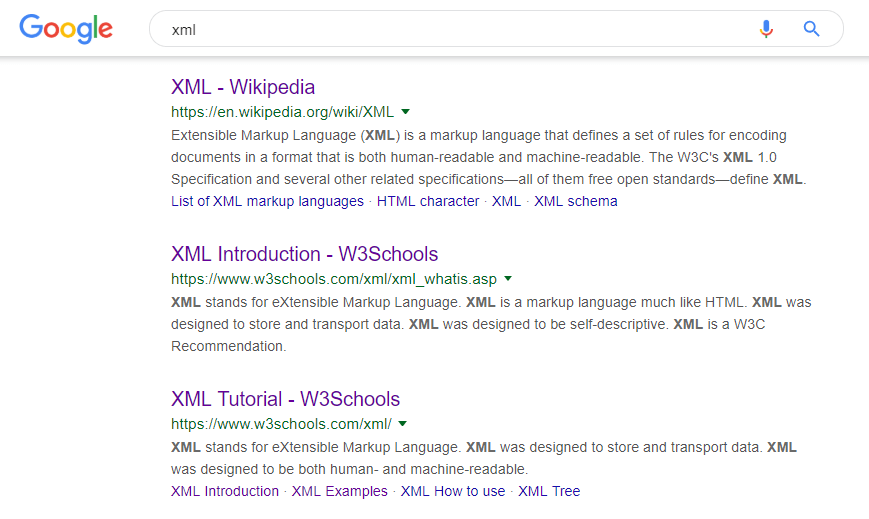
The trouble is that crawlers sometimes miss content. They can as well alphabetize pages you lot'd rather search engines not see, or 'detect' indistinguishable content where in that location is none.
The best way to avoid these issues is to create a sitemap, which is a list of all the pages that make upwardly your site and information about how they're connected. Here'southward what a uncomplicated sitemap might look like:
<?xml version="ane.0" encoding="UTF-eight"?>
            <urlset xmlns="http://www.sitemaps.org/schemas/sitemap/0.ix">
            <url>
            <loc>http://www.example.com/</loc>
            <lastmod>2019-01-01</lastmod>
            <changefreq>monthly</changefreq>
            </url>
            </urlset>
Naturally, a real sitemap would include a <url> tag for each folio you lot want search engines to index. You can besides include additional data, such as when each page was last modified, how often the search engine should check it for updates, and more than.
Proceed in mind that y'all tin also create HTML sitemaps. In fact, it's best to use both that language and XML. While it's possible to exercise this by manus, by far the easiest way to create a sitemap if you're using WordPress is by picking upwards a defended plugin.
3 Means You Can Use XML Files in WordPress
Sitemaps are of import, but they aren't the only employ example for this particular linguistic communication. Every bit we mentioned earlier, XML is widely used to store and transfer information. Let's look at three means you tin apply this functionality in WordPress.
1. Importing and Exporting Plugin Data
Even the simplest WordPress website includes more data than yous might imagine. In many cases, each plugin y'all've installed volition also store its own data fix, which you can sometimes import and export as an XML file.
1 example of this is WooCommerce. A lot of WooCommerce extensions enable you lot to export your production list – including all of its associated information – as a plain XML file:
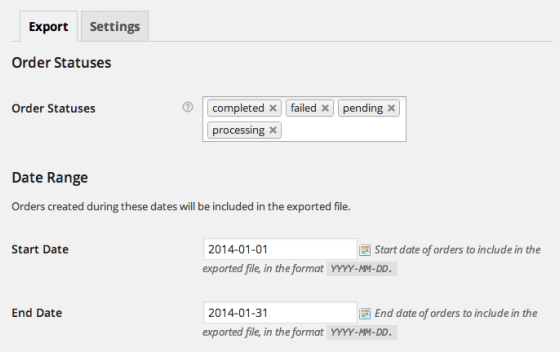
This can come in handy for your records, or if yous want to import the same products into some other website. A lot of other plugins also do this, although some of them rely on the CSV format instead for importing and exporting information.
ii. Uploading Theme Unit Test Information
Installing a new WordPress theme is no small feat. Whichever theme you choose volition significantly affect your website's way and functionality. This means that before you settle on i, you'll need to have a adept look at how information technology will affect your particular site, rather than simply exploring demo sites ready upwards by its developers.
Theoretically, you lot can exam your new theme on a live website, and revert to your old one if you don't like the changes it makes. However, that's not a particularly safe approach. A better method is to use a local or 'staging' site, install the theme you want to test, and import dummy data to see how it works in action.
WordPress.org, for case, offers an XML file that contains a full website'south worth of testing information. To use information technology, all you accept to do is download the file, go to your WordPress dashboard, and select the Tools > Import > WordPress option:
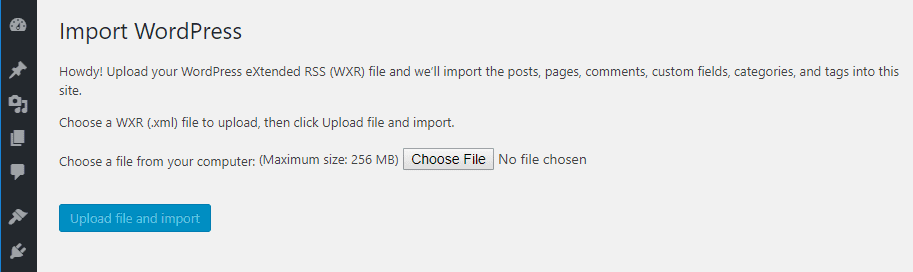
In practice, this works just like importing another WordPress website's content into your own. When the process is over, you can open your website and see how your theme looks with all that new content. It shouldn't take more than a few minutes, and it will give you a improve idea of whether you lot want to employ the theme in question or non.
3. Migrating Your WordPress Content
Terminal just not least, what if you want to transfer data from one WordPress website to another? To do this, you'd need to go to the Tools > Export tab and choose what content yous want to export, from amid posts, pages, media, and so on:
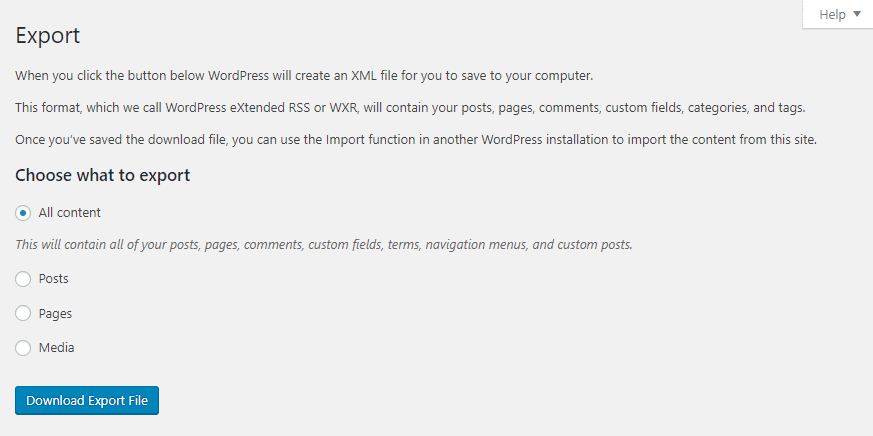
WordPress will generate an XML file, and download it to your computer. Y'all can then echo the same procedure as in the previous section, by going to the Tools > Import tab of the second website and uploading the XML file.
Keep in mind – this procedure volition import your WordPress content, only information technology won't bear upon the plugins or themes you lot're using. To transfer those as well, you'd need to perform a full migration. It's also worth noting that y'all tin can utilise a similar process to migrate your WordPress.com content to WordPress.org. That'southward how versatile XML tin exist.
Conclusion
The purpose of a markup language is to include information in a fashion that's like shooting fish in a barrel for both people and computers to sympathise. There are many languages that fill this role, merely XML is undeniably the king of markup.
Just to give you an thought of how versatile XML can exist, let's epitomize a few of the ways you tin use it in WordPress:
- Creating sitemaps.
- Importing and exporting plugin data.
- Uploading theme unit of measurement test data.
- Migrating your WordPress content.
Do y'all have any further questions about how to use XML in WordPress? Let'due south talk most them in the comments section below!
Commodity image thumbnail by shahsoft / shutterstock.com
Source: https://www.elegantthemes.com/blog/wordpress/what-is-xml-and-how-can-you-use-it-with-wordpress
0 Response to "Where to Upload Xml File in Wordpress"
Post a Comment